
[NOTE: It’s been over 6 months since I’ve posted, so I’m going to abbreviate this and continue later.]
Wow, what a path. This might be a LONG one, so sit back, pour a cup of covefe and read on.
I was trying to run something on my Amazon Linux instance but it wouldn’t update because the version of the OS is out of date. I did manage to run yum update and on my next login I saw this:
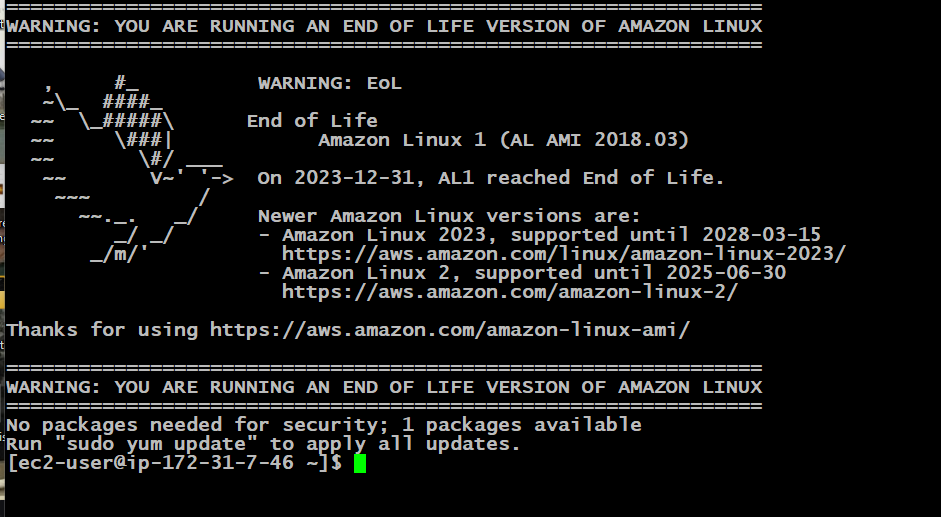
I had never seen this before. It also made me realize I have to upgrade or maybe just bring this site down.
Eventually I just figured “Oh well, time to upgrade” and spun up a new Amazon Linux 2023 instance and upgraded MySQL and PHP to the latest versions. Then I unpacked my WordPress instance, restored the database to a new one in MySQL and thought it would be a nice night, reading my lame site in all the updated glory. But of course, it all failed. My WordPress version was so out of date that it wouldn’t run on the latest versions of PHP and MySQL. What’s worse, I couldn’t upgrade the versions on my Amazon Linux instance as IT was so out of date that I couldn’t get even remotely current versions of MySQL and PHP. Oh bother…
Migrating the database to MySQL isn’t that hard – there aren’t any real routines in the stock WP database that requires a high version of MySQL. Porting the database over to a newer version of MySQL worked pretty easily. The problem was PHP (naturally).
To sum it up, running my current version of WordPress failed on the latest version of PHP (8.X). After going back several times and uttering many four letter words and curses, I decided to upgrade to Amazon Linux 2 and use all of the current versions on that platform. Further, since AL 2 was still current (at the time), this gave me time to figure out what I wanted to do.
Voila! AL 2 had PHP 7.X and it worked. Now I had some lead time. Regrettably, time has gotten away from me and it’s now October. AL 2 is now reached its EOL and I have to migrate to AL 2023 and port over everything all over again.
But before I work on that, let me get caught up on my C64 set up since I haven’t updated anything on that front in a while, either. My poor C64 is just collecting dust in the garage…